
Purchasing from Simply Creative Colors
Our website is designed to help you browse, preview, and explore all of our Color by Number artwork—but all purchases are made through our Etsy shop, not here on the site. When you're ready to buy, each product links you directly to its Etsy listing for a secure and seamless checkout experience.
Browse
Explore our full collection here or visit our Etsy shop
to browse the complete catalog of designs.
Purchase
When you find a design you love, click through to its Etsy listing to complete your purchase
securely.
Download
After checkout, Etsy instantly provides your digital files for quick and easy access.
Enjoy
Start coloring your new design—print it out, open it in Procreate, or use your favorite
coloring
app.
Important: Etsy requires that digital files be downloaded from the etsy.com website using a computer or a tablet in a web browser. Downloads are not available through the Etsy mobile app.
What's Included In Your Purchase
Your Simply Creative Colors purchase includes a complete set of Color by Number files in PDF, PNG, and SVG formats, along with color palettes provided in both PDF and PNG. This does not apply to our Coloring Book products. Always refer to the specific listing description for any variation in included files.
Most SimplyCreativeColors downloads include the following file types for every color version or skill level:

Full-Color
A completed example
of the design, showing
the full artwork with
every color applied.
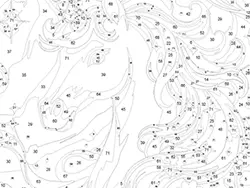
Gray-Numbered
Color-by-number line art with gray numbers — clear labeling in a subtle style.
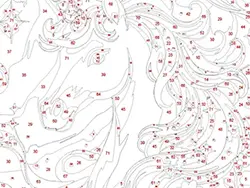
Red-Numbered
Color-by-number line art with red numbers — higher contrast for easier visibility.
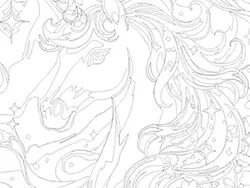
Outline-Only
Line art with no
numbers — ideal for
experimentation with
alternative colors.
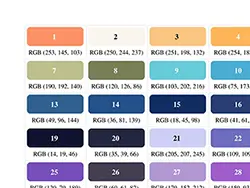
Color Grid
Quick visual grid of all numbered colors in the design.
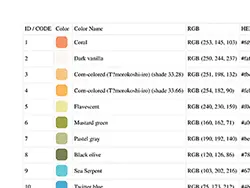
Color List
Numbered list of all colors included in the design.

Every color variation includes PDF, PNG, and SVG formats, so you're always compatible with your creative workflow.
Designs with multiple skill levels are neatly organized into separate folders within the download. Each ZIP file is labeled with the skill levels it contains.
Example
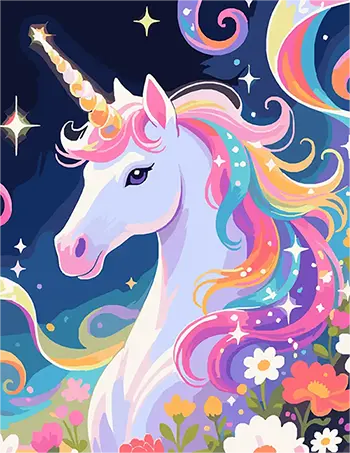
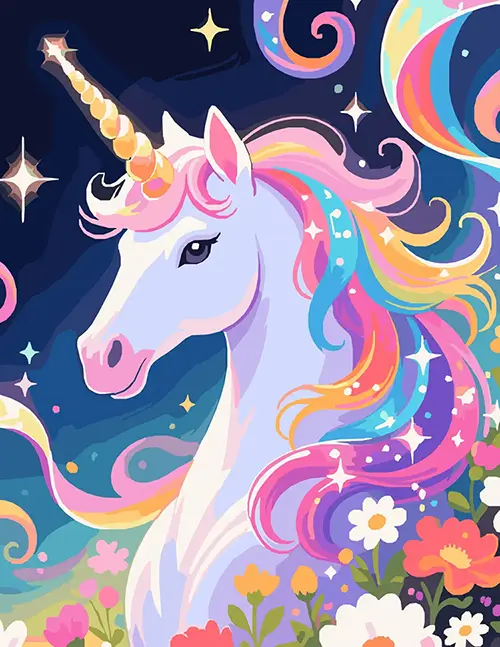
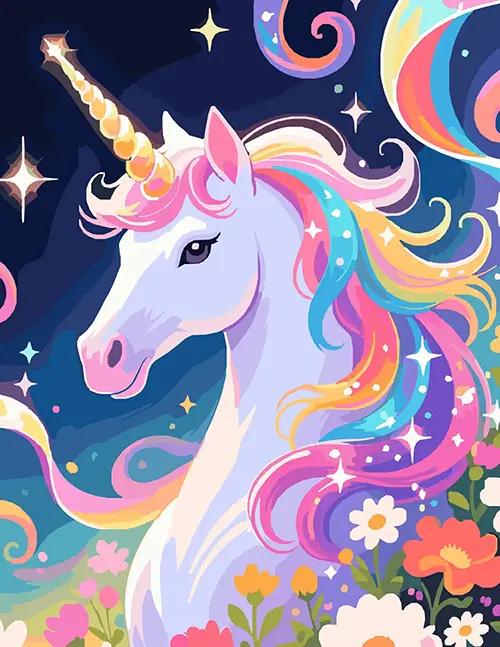
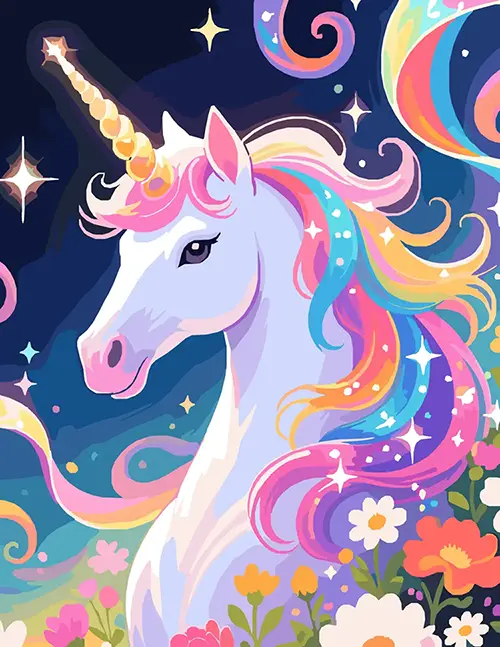
In the example below, the unicorn design offers six options — 12, 24, 36, 48, 60, and 71 colors — with each ZIP file containing two of those variations.



Subfolders
📂 Color-Reference
Each color variation includes
a Color-Reference folder with
the palette for that variation:
- Color Grid (PDF and PNG)
- Color List (PDF and PNG)
Artwork Folders
Each color variation also
includes three format
subfolders — just choose the
file type that's compatible
with your device or design
software:
- 📂 PNG
- 📂 SVG
Artwork Files
Inside each format folder (PDF, PNG, SVG)
you'll find the artwork in four
versions:
- 🖼️ Full-Color Example
- 🖼️ Gray Numbered
- 🖼️ Red Numbered
- 🖼️ Outline-Only (No Numbering)
Want a closer look? Download one of our free downloads to explore the folder layout and artwork versions for yourself.
Frequently Asked Questions
📦 What's included in the digital download?
Your purchase includes a complete set of Color by Number files, provided in PDF, PNG, and SVG formats so you can color digitally or print. Most SimplyCreativeColors downloads include these files for each color version or skill level:
- Full-color reference image
- Numbered version with gray numbers
- Numbered version with red numbers
- Outlined version with no numbers
- Color list (PDF + PNG)
- Color grid (PDF + PNG)
Always refer to the specific listing description for any variation in included files.
⬇️ What should I do if I have trouble downloading the files?
First, make sure you're logged into your Etsy account from a tablet or computer—downloads aren't available through guest checkout or the Etsy mobile app. You can find your digital files under Account → Purchases & Reviews.If you still have issues accessing your download, send a message to SimplyCreativeColors or reach out to Etsy Support for additional help.
🗜️ How do I open a ZIP file after downloading?
A ZIP file is a compressed folder or set of folders that bundles multiple files together so they download faster and stay neatly organized. To open a ZIP file:
- Windows: Double-click the ZIP file to extract it, or right-click and choose “Extract All” or similar option.
- Mac: Double-click the ZIP file and it will automatically unzip into a folder.
- iPad (or iPhone): Open the Files app, locate the ZIP, and tap it once to extract a new folder containing your files.
- Android / Other Tablets or Smartphones: Many devices can open ZIP files automatically—if yours can't, install a free ZIP extractor app.
If you're unsure how to do this on your specific device, searching “how to open a ZIP file” + your device model on YouTube can help.
🖊️ How do I color digitally?
You can color digitally by importing the downloaded PNG, PDF, or SVG files into a drawing app that supports layers—such as Procreate, Adobe Fresco, Krita, Sketchbook, or Affinity Designer. The coloring experience may vary by app, and everyone prefers different workflows.
If you're unsure how to color on your specific device, searching “coloring in” + your app on YouTube can be very helpful.
🎨 How do I load the color palette into Procreate?
Most SimplyCreativeColors products do not include Procreate .swatches files unless specifically indicated in the listing. Instead, each color variation includes a Color Grid you can use for easy color picking in Procreate.
To use the Color Grid as a palette reference:
- Open the Files app and navigate to the folder for the color version you want to use
- Go into the Color-Reference folder
- Open the Color Grid PNG
- Tap Share → Save Image (this places the Color Grid in your Photos)
- In Procreate, tap the Wrench (Actions) icon
- Select Canvas
- Turn on Reference
- Tap Image
- Import the Color Grid image you saved
Once added, you can pick colors directly from the Reference window and toggle it anytime through Actions → Canvas → Reference.
You can also manually build a Procreate palette or place the Color Grid on a top layer and toggle its visibility while you work—whichever method you prefer.
Follow @SimplyCreativeColors on TikTok for quick Procreate coloring tips, including importing palettes, color-drop techniques and fast-fill methods.
🖌️ How do I color traditionally?
Print the design on your preferred paper and fill in the numbered areas using colored pencils, matching the palette as closely as you can with the colors you already have.
You can also use markers, gel pens, or paints — just test your materials first to make sure they don't smudge or bleed on your printer paper. If needed, a light spray fixative can help set the printed ink before coloring.
🎨 Do colors match a specific brand of medium when coloring traditionally?
The palettes included in SimplyCreativeColors designs are not tied to any specific brand of colored pencils, markers, or paint. Each palette provides numbered color swatches as a visual guide.
When coloring traditionally, it's up to you — the colorist — to choose shades that most closely match the palette using the materials you already have. This gives you complete flexibility to use any brand or medium you enjoy while still staying true to the artwork's intended look.
🔍 I'm having difficulty reading some of the numbers. What should I do?
Some designs — especially earlier releases — include very small details, which can result in smaller numbers in higher-color versions. If needed, open the file on your phone, tablet, or computer and zoom in to check any numbers that are hard to see on paper. A small magnifying glass can also be helpful if that's more convenient.
More realistic artwork will naturally include finer details at times, but you can always refer to the digital file as a clear reference before or during coloring.
We're actively refining our artwork to ensure new releases have clearer, larger-number areas while still maintaining beautiful detail. We're gradually updating older designs to improve readability across the entire collection.
⚠️ What if I discover a problem?
If you notice anything that doesn't seem right — whether it's a missing file, a download issue, incorrect numbering, or something in the product listing that needs clarification — please reach out to SimplyCreativeColors right away. We truly appreciate when customers let us know about issues because it helps us continue improving our products and your overall experience.
We take all concerns seriously and will work quickly to diagnose and resolve the problem. If updated or corrected files are needed, we'll provide them as soon as they are ready and make sure you have everything you need to enjoy your purchase.
Your satisfaction is important to us, and we're always here to help with any questions along the way. Even if you're unsure whether something is an issue, please feel welcome to ask — we'd rather you check in than struggle alone.
🚫 Can I sell or share these files?
No. All files are provided for personal use only. You may not sell, share, redistribute, or upload the original files — or any modified versions — in either digital or printed form. If someone else is interested in the artwork, please direct them to the SimplyCreativeColors shop so they can purchase their own copy.
You may display your finished, colored artwork at home or give it as a gift — but you may not sell the finished pieces commercially.
🤔 I have an unusual project in mind. What if I'm not sure whether it's allowed?
We love creativity! If you'd like to use the artwork in a way that isn't clearly covered in the usage terms — such as a group activity, custom craft project, or anything that might involve sharing files — just reach out to SimplyCreativeColors first. We're happy to clarify what's allowed and, when possible, guide you toward the best way to complete your project while still protecting our artwork.
📸 Can I share my finished artwork online?
Yes — we love creativity and want to support your creativity! You're welcome to share photos of your completed pages in Etsy ratings or on social media to show off your colorful results. When posting online, please avoid sharing or showing the original numbered files or uncolored artwork.
On social media, tag @SimplyCreativeColors so we can celebrate your work with you!
Need Help?
If you ever have questions, whether you're considering a Color by Number or you've already made a purchase, reach out to us on Etsy. We reply quickly and genuinely want to ensure you have the best experience from start to finish.